SKYWALL
Browser tabs freeze and fall behind
Every screen recovers on its own
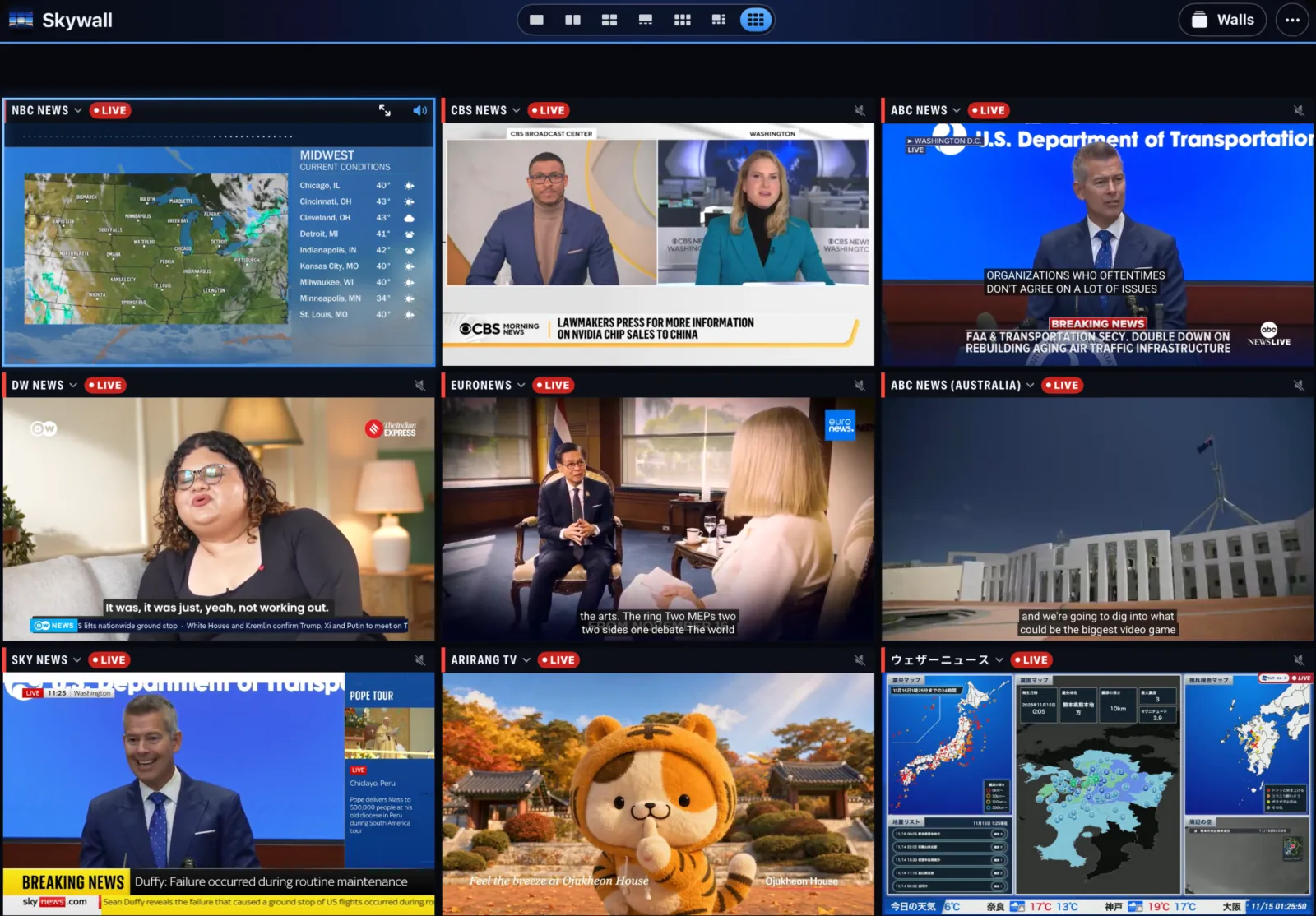
Skywall watches each stream and reloads the one that stalls, so the wall keeps playing all day.
Skywall for Business puts the live channels your team monitors on every office TV, adds your own channels and logo, and locks the wall so nobody changes it. It runs on the iPads and Macs you already have.
Early access · from US$99 per device, per year
Browser tabs freeze and fall behind
Skywall watches each stream and reloads the one that stalls, so the wall keeps playing all day.
Someone changes the TV
The wall stays the way you set it. Only someone with the PIN can change it.
The channel you need isn't there
Your own channel, a regional broadcaster, a press room: if it streams live on YouTube, we can add it.
Any official YouTube live stream, including your own and channels that aren't in Skywall yet.
We set up your walls once and they appear on every device that joins, in the layout you chose.
Your logo and colors in the app's bars and empty screens. The video stays as the broadcaster shows it.
Staff can't change the wall by accident. Pair it with Guided Access or your MDM to keep the iPad on Skywall.
One code sets up any number of iPads and Macs. Push it with your MDM, or open a link on each device.
Up to nine channels per TV, one with sound, burn-in protection, a clock, and recovery when a stream stalls.
Skywall is free on the App Store, with up to 4 channels at once. Put it on your office TV today. When you want more screens, your own channels, your logo and the lock, write to us.

Your channels, your logo and how many screens. The form below writes the email for you.
We add your channels and walls, test every stream, and send you a code for your organization.
Open Skywall on each iPad or Mac, enter the code, and your wall appears, locked and ready.
Founding offer: 30% off the first year for the first 10 organizations
From
US$99
per device, per year
Less than US$9 a month for each screen.
Invoiced to your organization once a year. Prices before tax. Business terms
Five fields, one minute. Nothing is sent from this page: it writes an email that you send from your own mail app.
It should have opened in your mail app. If nothing opened, send it another way:
No. It's the same Skywall app from the App Store. A code for your organization sets it up with your channels, walls, logo and lock.
Yes. Skywall is free on the App Store with up to 4 channels at once. Try it on your TV today, then write to us for your channels, logo and lock.
Yes: any official YouTube live stream that allows playback on other sites, including your own. We check each one before your wall goes live.
No. Your logo and colors go in the app's bars and empty screens. The video stays exactly as the broadcaster and YouTube show it.
A TV and one iPad, iPhone or Mac connected to it by cable, or by AirPlay to an Apple TV. One device runs one TV with up to nine channels.
No. There are no accounts and no tracking. The app plays each broadcaster's official stream, and your organization's setup is a file only your devices download.
It's in early access: we're setting up the first organizations by hand. Write to us and we'll reply within two business days.
Tell us your channels and how many TVs. We'll reply within two business days.